
TL;DR
Key Takeaways
- An ergonomic chair fits the user, the task, and the workstation. The label alone does not make a chair ergonomic.
- Important features include suitable seat height and depth, useful back and lumbar support, controlled recline, practical armrests, pressure control, accessible adjustments, and freedom to change position.
- A chair is not automatically ergonomic because it is expensive, padded, mesh, has a headrest, or is marketed as “ergonomic.” Real ergonomic fit matters more.
- Good chair fit should support the feet, thighs, back, and arms without forcing the body into one rigid posture.
- Even a well-fitting ergonomic chair does not replace movement. Changing position remains an important part of comfortable sitting.
- Mild, temporary discomfort may be a reason to check chair fit, movement habits, and the wider workstation.
- Persistent or worsening pain, radiating symptoms, numbness, weakness, significant trauma, or other concerning symptoms need separate professional evaluation rather than being blamed only on the chair.
Quick Answer
What is an ergonomic chair? An ergonomic chair is a chair designed or adjustable to fit the user, the work task, and the workstation. It should support the body, reduce avoidable pressure and reaching, and allow comfortable position changes instead of forcing one fixed posture.
The ergonomic chair meaning is based on fit, not just a product label. One ergonomic office chair may fit one person well but another poorly. Useful adjustment ranges, body size, task needs, and the way the chair works with the desk and other equipment all affect ergonomic suitability.
So, what makes an office chair ergonomic is not simply the number of features it has. The chair needs practical support, useful adjustments, pressure control, workstation compatibility, and freedom to move in ways that suit the person using it.
Table of Contents
When to Worry
When learning what is an ergonomic chair, it also helps to understand what a chair can and cannot explain. Mild discomfort that closely follows prolonged sitting or a particular setup may be worth monitoring. Persistent, spreading, or severe symptoms need separate attention and should not simply be blamed on ergonomics.
Mild Signs to Monitor
Temporary stiffness after prolonged sitting, mild neck or shoulder tension, or localized pressure may occur during desk work. These signs are less concerning when they improve after changing position, moving around, or making a reasonable ergonomic change.
Temporary discomfort that clearly appears with one chair or workstation setup can also be a useful clue. However, a chair setting or sitting position that causes pain should not be repeatedly forced.
When Professional Evaluation Makes Sense
Professional evaluation makes sense when symptoms persist, keep returning, or progressively worsen. It is also appropriate when pain starts to interfere with work, sleep, walking, driving, sitting, or other normal activities.
Persistent or spreading tingling or numbness, weakness, radiating symptoms, severe or constant pain, and symptoms following significant trauma also need more attention. The same applies when symptoms no longer have a clear connection to chair use or desk work.
Warning Signs That Need Urgent Attention
Some symptoms are not ordinary ergonomic chair-fit problems. Urgent medical attention is appropriate for:
- New bladder or bowel control changes
- New numbness around the saddle region
- New weakness or numbness in both legs
- Rapidly worsening neurological symptoms
- Inability to walk
- Severe loss of coordination
- Severe back pain after a serious accident or major fall
- Back pain with fever, chills, or feeling seriously unwell
These warning signs require medical attention rather than further chair adjustment. Ergonomic assessment deals with equipment and workstation fit, while medical evaluation addresses symptoms and health risks.
Symptoms / Signs
When considering what is an ergonomic chair, the way a chair fits can provide useful clues.
Unsupported feet, pressure points, repeated shifting, or difficulty using the backrest may suggest that the chair does not fit well. These are ergonomic signs to observe, not proof that the chair caused pain.
Signs the Seat May Not Fit
The seat may not fit well when the feet dangle or rest on the chair base for support. Pressure beneath the thighs or behind the knees can also suggest that the seat height, depth, or shape does not suit the user.
Other signs may include:
- The seat edge presses into the calves or backs of the knees.
- The user perches near the front edge instead of sitting back.
- The legs need frequent repositioning.
- The hips or legs feel cramped by the available space.
These patterns show how the body interacts with the seat. They do not identify the cause of pain or discomfort.
Signs the Backrest or Lumbar Support May Not Fit
A backrest may not fit well when the user has difficulty sitting back against it or the lower back feels unsupported. Localized pressure in the lumbar area can also suggest that the support does not match the user comfortably.
The user may slide forward to get away from uncomfortable lumbar pressure, shift position repeatedly, or lose backrest contact while working. These are useful fit clues, but they do not show that the backrest caused a medical problem.
Signs the Armrests May Not Fit
Armrests should provide useful support without pushing the upper body into an awkward position. Raised or shrugged shoulders and elbows pushed outward can suggest that the armrests do not fit well.
Armrests can also interfere with the wider workstation. If they block the desk, the chair may stay too far from the work surface. The forearms may then receive little useful support during desk work.
Signs the Chair and Workstation Do Not Work Together
A chair can seem comfortable on its own but work poorly with a particular desk or computer setup. Repeated forward leaning, reaching toward the keyboard or mouse, or twisting toward the screen can signal a chair-workstation mismatch.
Other clues include difficulty moving close to the desk and repeatedly losing backrest contact during computer work. If the same chair feels different at another workstation, the problem may involve how the chair and work area fit together rather than the chair alone.
Signs the Body Needs a Position Change
Even a reasonable sitting position can become uncomfortable when held for too long. Stiffness that builds during longer sitting, repeated shifting, or a frequent need to recline, stretch, stand, or walk can signal that the body needs a change of position.
A chair may also feel comfortable at first but become less comfortable as sitting continues. This pattern can be another clue that movement and posture variation are needed.
These signs are ergonomic clues, not proof that a particular chair or posture caused pain. Chair fit, workstation fit, sitting time, movement, task demands, and other factors can all affect how sitting feels.
What Is an Ergonomic Chair? Why Poor Fit Happens
Understanding what is an ergonomic chair also means understanding why a chair with ergonomic features may still fit poorly. Problems can happen when the chair does not match the person, the task, or the workstation. Limited adjustment ranges, pressure points, and too little movement can also reduce how well the chair works.
The Chair Does Not Fit the Person
Body size and shape affect chair fit. The seat-height range may not suit the user’s leg length, while a seat that is too deep or too shallow may not support the thighs well. A narrow seat can also restrict comfortable movement.
The backrest shape, lumbar support, and armrest range also need to suit the user. Poorly matched support can make it harder for the back, shoulders, and arms to rest comfortably.
A common cause-and-effect pattern is:
Seat too high → feet lose support → thigh pressure increases → user slides forward → backrest contact decreases.
The Chair Does Not Fit the Task
Different work tasks can place the body in different supported positions. Focused typing, reading, video calls, reclining, and collaborative work do not always place the user in the same position.
A chair that works well for one task may therefore need a different adjustment or position for another. Ergonomic fit depends partly on what the user is doing, not only on the chair itself.
The Chair Does Not Fit the Workstation
Chair ergonomics can break down when the chair and workstation do not work together. A desk that is too high or low, a distant keyboard or mouse, or a poorly positioned monitor may encourage reaching, leaning, or twisting.
Fixed armrests may stop the chair from moving close enough to the desk. Poor leg clearance can also change how the user sits.
Armrests block the desk → chair stays too far away → user reaches forward → backrest support is lost.
The Adjustments Are Not Useful
An adjustable chair is not automatically a good ergonomic chair. An adjustment may have too little range for the user, while some controls may be confusing or difficult to reach.
Useful features may also remain unused when the controls are not practical. More adjustments do not automatically mean better ergonomics. What matters is whether those adjustments help the chair fit the user and task.
The Chair Creates Pressure Instead of Support
A chair should support the body without creating avoidable pressure points. A hard seat edge, poorly fitting seat pan, or restrictive seat width may concentrate pressure around the thighs or legs.
Lumbar support can also feel too aggressive when it presses too strongly into the lower back. During longer sitting, these fit problems may become more noticeable as pressure builds.
The Chair Keeps the User Too Still
Even a well-fitting chair cannot make long periods of motionless sitting ideal. Prolonged uninterrupted sitting, a fixed position, limited posture variation, or a rigid backrest setting can keep the body in one position for too long.
Long static sitting → less position variation → growing muscle fatigue and stiffness → discomfort.
There is no single ideal sitting position for every person, task, body, or moment. A chair works more ergonomically when it supports useful position changes rather than holding the user in one rigid posture.
What It May Indicate
Visible fit problems can point to several possibilities. The chair itself may not match the user, but the workstation, adjustment range, or way the chair supports longer sitting may also play a role. These clues can help identify possible ergonomic mismatches without diagnosing the cause of discomfort.
The Chair May Not Fit the User
Repeated pressure, perching near the seat edge, sliding forward, or unsupported feet may suggest that the chair dimensions do not suit the user. Difficulty sitting comfortably against the backrest can point to a similar mismatch.
The problem may also involve the chair’s adjustment range. A chair can be adjustable but still lack the range needed for a particular body size or shape.
The Workstation May Be the Real Problem
A chair can fit reasonably well while the wider workstation creates an awkward sitting position.
Desk height, monitor placement, keyboard position, mouse reach, and available legroom can all affect how the body uses the chair.
For example, a user may lean forward because the keyboard or screen is poorly placed rather than because the backrest lacks support. Chair fit and workstation fit therefore need to work together.
The Chair May Have Features Without Real Ergonomic Fit
There is an important difference between having ergonomic features, being adjustable, and actually fitting the user. A chair may include seat adjustments, lumbar support, armrests, and recline controls without those features working well for the person using them.
More features do not automatically make a chair more ergonomic. The features need useful adjustment ranges and must support the user, task, and workstation in practice.
Discomfort Does Not Automatically Mean the Chair Caused an Injury
Chair-related pressure or awkward positioning may contribute to discomfort, but that does not prove the chair caused an injury. Back pain and other musculoskeletal symptoms can have many contributing factors, so a chair-only explanation may be incomplete.
Symptoms should not automatically be blamed on posture or an office chair. Persistent, worsening, radiating, numb, tingling, or weak symptoms need separate consideration rather than repeated ergonomic changes alone.
Comfort and Ergonomic Fit Are Not the Same Thing
A soft or padded chair may feel comfortable at first, but that first impression does not prove good ergonomic fit. Meaningful fit also depends on sustained support, pressure control, task compatibility, and the ability to change position.
A chair that feels pleasant for a few minutes may work differently during longer sitting. Comfort matters, but it needs to exist alongside useful support and freedom of movement.
What to Do
After understanding what is an ergonomic chair, the next step is to check whether the chair actually works for the person using it. The goal is not to force the body into a perfect position. It is to find practical support, reduce avoidable pressure and reaching, and allow comfortable position changes.
Start With the Person, Not the Chair Label
The word “ergonomic” does not guarantee a good fit. The chair should accommodate the user’s body size, leg length, thigh length, torso position, and arm position. It should also suit the tasks the person performs most often.
This person-first approach matters because the same chair can fit one user well and another poorly.
Check the Main Contact Points
The main contact points can show whether the chair provides useful support. The feet should have stable support, while the thighs should rest on the seat without uncomfortable pressure from the seat edge.
The backrest and lumbar area should make comfortable contact with the back. The forearms should also receive useful support without forcing the shoulders or arms into an awkward position. The focus should stay on these observable outcomes rather than one rigid sitting angle.
A chair that fits well will usually show several practical signs:
- Feet are supported.
- Thighs are supported.
- Space remains behind the knees.
- The back makes comfortable contact with the backrest.
- Shoulders stay relaxed.
- The work area is within comfortable reach.
- No strong pressure points develop.
- Position changes feel easy.
Check Whether the Chair Works With the Desk
A well-fitting chair still needs to work with the desk and equipment. There should be enough leg space, and the chair should move close enough for comfortable keyboard and mouse use.
The screen should also be viewable without repeated leaning or twisting. Armrests should not prevent the chair from approaching the desk.
Use the Adjustments That Actually Help
Useful chair adjustments may include seat height, seat depth, backrest position, recline or tension, lumbar support, and armrest position. These controls matter when they help the chair fit the user and work task.
Not every adjustment needs to be changed simply because it is available. Practical ergonomic fit matters more than using every feature.
Change Position Before Discomfort Builds
A good chair should support movement rather than keep the body fixed. Small seated shifts, supported recline, brief periods of standing, and walking between tasks can add useful position changes during the day.
When stiffness starts to build, changing position can be more useful than trying to hold the same posture. There is no single movement interval that suits every person, task, or workday.
Reassess If the Chair Still Does Not Fit
An adjustable chair can still be the wrong size or design for a particular user. If reasonable adjustments do not provide comfortable support or useful workstation fit, the chair itself may simply be a poor match.
Adjustability creates options, but it cannot guarantee ergonomic fit. The available ranges still need to match the person, task, and workstation. The How to Choose an Office Chair guide explains what to check when selecting a chair that better fits the user, workstation, and daily work.
Ergonomic & Support Options
When considering what is an ergonomic chair, the main features matter because of what they help the chair do. Useful support should help the chair fit the person, the work task, and the workstation while allowing comfortable changes in position.
What Makes an Office Chair Ergonomic?
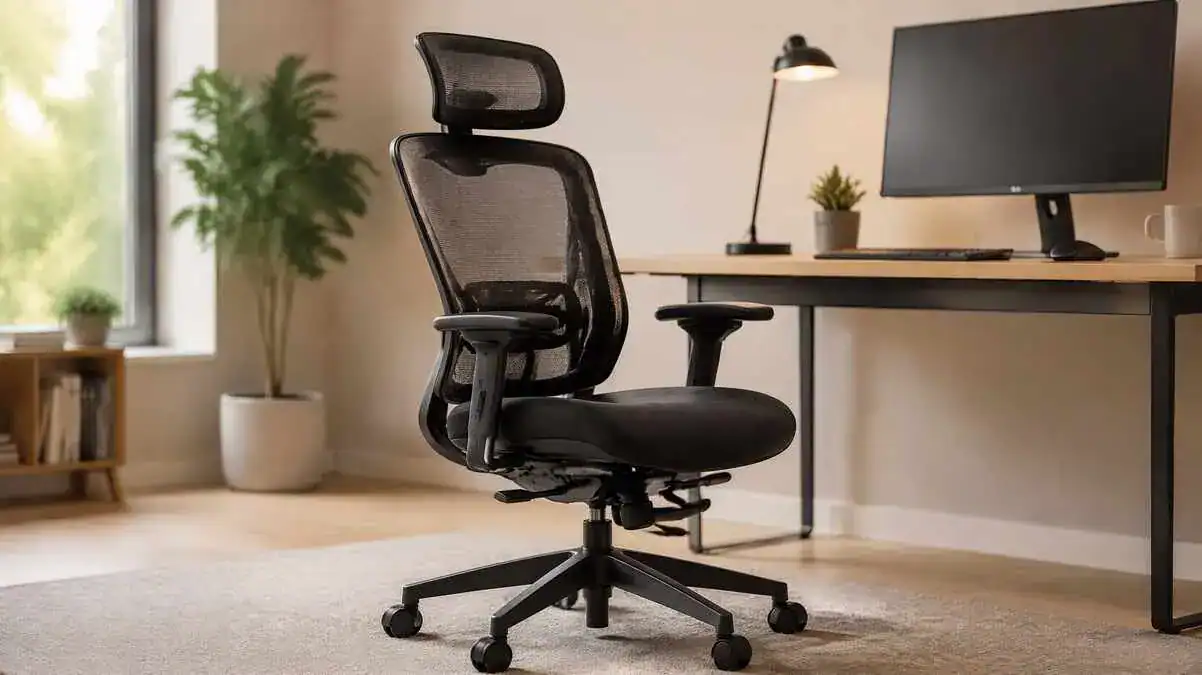
What makes an office chair ergonomic? A useful ergonomic office chair provides support and adjustments that help it fit the user’s body and work.
The table below shows what the main chair features should do and common signs that they may not fit well.
| Chair Feature | What It Should Do | Sign It May Not Fit |
| Seat height | Support feet and thighs | Dangling feet or thigh pressure |
| Seat depth | Support thighs while leaving knee clearance | Perching or pressure behind knees |
| Backrest/lumbar support | Provide comfortable back contact | Slumping or concentrated pressure |
| Recline | Allow controlled posture changes | Rigid sitting or unstable recline |
| Armrests | Support forearms without lifting shoulders | Shrugging or blocked desk access |
| Seat shape/edge | Distribute seated pressure | Thigh pressure or localized numbness |
| Controls | Make useful adjustment practical | Features remain unused |
| Chair/workstation fit | Allow comfortable desk access | Reaching or forward leaning |
The feature itself is only part of the picture. What matters is whether it provides useful support, fits the user, and works during real tasks.
Adjustable Seat Height
Adjustable seat height helps match the chair to the user’s legs and workstation. The feet should have stable support from the floor or a footrest, while the thighs remain supported without excessive pressure.
Chair height also needs to work with the desk height. A suitable seat height on its own is less useful if the desk still forces an awkward working position.
Seat Depth and Seat Edge
Office chair seat depth should support most of the thighs while leaving space behind the knees. The user should also be able to sit back and maintain comfortable contact with the backrest.
The seat edge should not create excessive pressure behind the knees or beneath the thighs.
Good fit matters more than trying to follow one universal clearance measurement.
Backrest and Lumbar Support
The backrest should provide comfortable contact with the back. Lumbar support should meet the natural inward curve of the lower back without feeling like a hard pressure point.
More lumbar support is not automatically better. Support that feels too strong or does not match the user can become uncomfortable rather than helpful.
Recline and Backrest Movement
A backrest should provide stable support while allowing useful changes in posture. Controlled recline can give the body another supported sitting position instead of keeping it fixed in one place.
Supported recline can be part of ergonomic sitting. A chair does not need to hold the user in one rigid upright posture to provide good support.
Adjustable Armrests
Armrests can lightly support the forearms so the shoulders remain relaxed and the elbows stay near the body. Their position should suit the user’s arms and work surface.
They should not block access to the desk. Armrests that prevent the chair from moving close enough can make the user reach forward instead.
Seat Width and Pressure Control
The seat should provide enough room for comfortable sitting and small position changes. A restrictive seat or concentrated pressure can make longer sitting less comfortable.
Padding can help with pressure distribution, but thick padding alone does not prove that a chair has good ergonomic design. Seat dimensions, shape, support, and pressure control still need to fit the user.
Accessible Chair Controls
Chair controls should be understandable, easy to reach, and practical to operate. Adjustments have little value if the user cannot access or use them easily.
Accessible controls make it easier to use the chair’s available adjustment range when the task or sitting position changes.
Does an Ergonomic Chair Need a Headrest?
No. An ergonomic chair does not always need a headrest. Its usefulness depends on the task, chair design, and whether the user spends time in a supported reclined position.
A headrest also cannot make up for poor seat fit, unsuitable lumbar support, or a desk and screen setup that does not work with the chair.
Footrests and Other Support Options
A stable footrest may help when the chair must be raised to work with the desk and the feet no longer rest securely on the floor. It can provide a stable surface beneath the feet.
A temporary lower-back cushion may sometimes provide extra support when it fits comfortably and stays stable. Lumbar support and seat cushioning serve different purposes: lumbar support helps support the lower back, while seat cushioning mainly affects sitting pressure and comfort.
Do Ergonomic Chairs Work?
Ergonomic chair benefits can include better support, easier adjustment for different body sizes, fewer avoidable pressure points, and a better fit with the workstation. A suitable chair can also make comfortable posture changes easier and may improve comfort for some users.
However, do ergonomic chairs work as a guaranteed way to prevent or treat pain? The evidence does not support that promise. No chair guarantees pain prevention or cures back pain, and the same chair may work differently for different users.
Movement and workstation fit still matter. A chair works as one part of the wider work setup rather than as a complete solution by itself.
What Does Not Automatically Make a Chair Ergonomic?
A chair is not automatically ergonomic because it has:
- A high price
- Thick padding
- Mesh material
- A headrest
- An unusual shape
- “Orthopedic” wording
- “Ergonomic” marketing
- A large number of adjustments
These details may be useful in some chairs, but none proves good ergonomic fit by itself. An expensive chair can still fit poorly, while a simpler chair may work well when its dimensions, support, and adjustment ranges suit the user.
Features matter only when they help the chair fit the person, task, and workstation. A gaming chair vs office chair comparison can help show why chair category and appearance should not replace a practical fit check.
Office chairs also come in different categories based on their purpose, design, material, size, and support approach. The guide to types of office chairs explains how these common chair styles differ.
FAQ
What is an ergonomic chair?
An ergonomic chair is a chair designed or adjustable to fit the user, work task, and workstation. It should provide useful support, reduce avoidable pressure and reaching, and allow comfortable position changes.
What qualifies as an ergonomic chair?
A chair qualifies as ergonomic when its design and usable adjustments help it fit the person, task, and workstation. Useful support, pressure control, practical adjustment ranges, and freedom to change position matter more than marketing claims.
How can someone tell if a chair is ergonomic?
The chair should fit the user’s body and provide comfortable support for the feet, thighs, back, and arms. It should also work with the desk and equipment without encouraging repeated reaching, twisting, or awkward positioning.
What is the purpose of an ergonomic chair?
The purpose of an ergonomic chair is to provide practical support while a person performs work tasks. It should reduce avoidable pressure and awkward reaching while allowing comfortable position changes.
What are the benefits of an ergonomic chair?
Potential ergonomic chair benefits include better support, easier adjustment for different body sizes, fewer avoidable pressure points, easier workstation fit, and more comfortable position changes. A suitable chair may improve comfort for some users.
Do ergonomic chairs really make a difference?
They can make a difference when their dimensions and adjustments fit the user and workstation. However, results vary, and an ergonomic chair cannot guarantee pain prevention or replace regular movement.
What is the difference between a normal office chair and an ergonomic chair?
An ergonomic office chair places greater emphasis on fitting the user through useful support and adjustment. A basic office chair may offer fewer ways to adapt the seat, backrest, recline, or armrests to different users and tasks.
Can an ergonomic chair still be uncomfortable?
Yes. An ergonomic chair can still feel uncomfortable when its dimensions, support, adjustment ranges, or workstation fit do not suit the user. A chair marketed as ergonomic does not guarantee a good individual fit.
What is an ergonomic office chair?
An ergonomic office chair is a work chair designed or adjustable to support the user’s body while fitting the task and workstation. Useful features may include adjustable seat height and depth, back and lumbar support, recline, and practical armrests.
What does ergonomic chair mean?
The ergonomic chair meaning is based on fitting the chair to the person rather than forcing the person to adapt to poorly fitting equipment. The label “ergonomic” alone does not prove that a chair will fit well.
What is an ergonomic chair used for?
An ergonomic chair provides adjustable, supportive seating for tasks such as desk and computer work. It works best as part of a workstation that also fits the user’s body and tasks.
What are the downsides of an ergonomic chair?
An ergonomic chair can still fit poorly if its size, shape, or adjustment ranges do not suit the user.
Extra features may also add little practical value when the controls are difficult to use or the chair does not work well with the workstation.
Are office chairs better with arms or without?
Neither option is always better. Armrests can be useful when they lightly support the forearms without raising the shoulders or blocking access to the desk. Poorly fitting armrests can interfere with a comfortable working position.
Why do office chairs lean back?
Office chairs may lean back to provide supported recline and allow changes in sitting position.
Controlled recline can reduce the need to remain in one fixed upright posture throughout desk work.
Is an ergonomic chair good for the back?
A well-fitting ergonomic chair may provide useful back and lumbar support and improve comfort for some users. However, no chair can guarantee back-pain prevention or treatment. Movement and overall workstation fit still matter.
Sources & References
The ergonomic guidance in this article is based on occupational-health, university ergonomics, systematic-review, and established medical sources.
- OSHA — Ergonomics Overview
- CCOHS — Office Ergonomics: Ergonomic Chair
- CCOHS — Office Ergonomics: How to Adjust Office Chairs
- Cornell University Ergonomics — Ergonomics of Sitting
- Cornell University Ergonomics — Choosing an Ergonomic Chair
- UCLA Ergonomics — Selecting a Chair
- Mayo Clinic — Office Ergonomics: Your How-To Guide
- Oregon OSHA — Evaluating Your Computer Workstation
- BMC Musculoskeletal Disorders — The Effectiveness of a Chair Intervention in the Workplace to Reduce Musculoskeletal Symptoms
- PubMed — The Effects of Chair Intervention on Lower Back Pain and Discomfort
- International Labour Organization — Ergonomics
Soft CTA
Understanding what is an ergonomic chair is only the first step. These related guides explain how chair position, the wider workstation, and lower-back support work together.
- Desk Chair Height and Positioning: A Step-by-Step Guide to Proper Adjustment
- Complete Ergonomic Desk Setup: How to Create a Comfortable Workstation
- What Is Lumbar Support? How It Works and Why It Matters
Update Note
Last reviewed/updated: September 24, 2026
This article was reviewed for ergonomic accuracy and current guidance on chair fit and workstation setup.
13 thoughts on “What Is an Ergonomic Chair? What Makes an Office Chair Ergonomic?”
Comments are closed.